
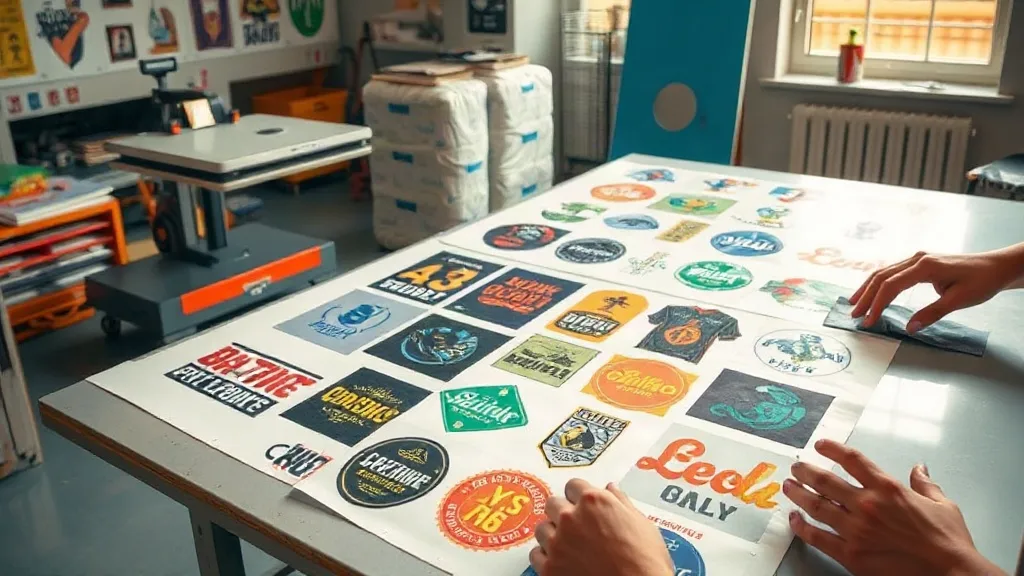
If you run a small print shop or an online store selling custom apparel, you know the struggle: small batch orders can eat into your profits and time. Screen printing setup costs are high, and vinyl cutting is slow for detailed designs. That's where DTF Gangsheet comes in. By grouping multiple designs onto a single sheet, you can print a variety of items in one go, slashing setup time and material waste. In this guide, we'll explore what DTF gangsheets are, how they work, and why they might be the missing piece in your production workflow.
What Is a DTF Gangsheet?
A DTF gangsheet is a single transfer film that contains multiple DTF (Direct to Film) prints arranged efficiently. Instead of printing each design separately, you impose several designs onto one large sheet, maximizing the use of the film and reducing waste. Once printed, the sheet is powdered with adhesive, cured, and can be pressed onto garments as needed. This method is ideal for small batches, sample packs, and businesses that offer a wide variety of designs without holding large inventory.
Why DTF Gangsheets Make Sense for Small Batches
Traditional printing methods often require minimum order quantities or costly setups. DTF gangsheets flip that model on its head. Here's why they're a game-changer for small batch production:
- Cost efficiency: By combining designs, you use less film and reduce ink consumption per print. The per-unit cost drops significantly compared to individual prints.
- Time savings: One print job handles multiple designs. You spend less time loading film, cutting, and pressing each design separately.
- Flexibility: You can mix and match designs, sizes, and even different garments in one batch. Perfect for custom orders or testing new designs.
- No minimums: Print exactly what you need. Whether it's 10 shirts or 50, gangsheets make small runs profitable.
How to Create a DTF Gangsheet
Creating a gangsheet is straightforward if you follow these steps:
- Collect your designs: Gather all the graphics you want to print. Ensure they are high resolution (300 DPI) and in PNG format with transparent backgrounds.
- Arrange them: Use design software or a gangsheet builder tool to arrange the designs on a canvas that matches your film size (e.g., 13" x 19", 22" x 24"). Leave a small gap between designs for easy cutting.
- Print and cure: Print the sheet on DTF film using your DTF printer, apply adhesive powder, and cure it with a heat press or oven.
- Press: Cut out each design and press it onto your garment using a heat press. Follow the recommended temperature and time for your film and fabric.
Maximizing Efficiency with DTF Gangsheets
To get the most out of your gangsheets, consider these tips:
- Nest designs: Rotate and nest designs to fill gaps and minimize wasted space. Software like Gangsheet Builder can automate this.
- Group by color: If you're printing with multiple colors, group designs with similar color profiles to reduce ink changes.
- Standardize sizes: Use common film sizes to streamline your workflow and reduce cutting time.
- Keep a library: Save frequently used gangsheet layouts for quick reprints.
Common Mistakes to Avoid
Even experienced printers can slip up when using gangsheets. Watch out for these pitfalls:
- Overcrowding: Leaving too little space between designs can make cutting difficult and lead to misprints.
- Ignoring grain direction: DTF film has a grain; aligning designs with the grain ensures consistent stretch and durability.
- Inconsistent pressure: When pressing, ensure even pressure across the entire sheet to avoid uneven transfers.
- Skipping a test print: Always do a small test to check color vibrancy and adhesion before running a full sheet.
Frequently Asked Questions
Can I use a DTF gangsheet for different fabric types?
Yes, DTF transfers adhere well to cotton, polyester, blends, and even some synthetics. However, adjust your heat press settings accordingly. For best results, test on a small area first.
How many designs can fit on one gangsheet?
That depends on the size of your designs and the film size. A 13" x 19" sheet can hold dozens of small logos or a few large graphics. Use gangsheet software to maximize space.
Do I need a special printer for DTF gangsheets?
You need a DTF printer that uses DTF film and ink. Many converted inkjet printers work, but dedicated DTF printers offer better reliability and color consistency.
What's the shelf life of a printed DTF gangsheet?
When stored properly in a cool, dry place away from direct sunlight, printed gangsheets can last up to 6 months. Press them within that timeframe for optimal adhesion.
Is DTF gangsheet printing cost-effective for a home business?
Absolutely. The ability to print on demand without minimums makes DTF gangsheets ideal for home-based businesses. You'll save on materials and labor compared to other methods.