When you run a print shop, every minute and every inch of transfer film counts. shaka wear has become a go-to brand for blanks that hold up to DTF printing, but even the best blank won't save you if your transfer workflow is inefficient. That's where a DTF Gangsheet Builder comes in. By combining Shaka Wear's durable fabrics with a smart gangsheet approach, you can cut waste, speed up production, and deliver custom apparel that keeps customers coming back.
Why Shaka Wear Blanks Are a DTF Favorite
Shaka Wear has built a reputation among screen printers and DTF enthusiasts for consistent quality and a fit that sells. Their tees, hoodies, and crewnecks are made from heavyweight cotton blends that provide a smooth printing surface. Unlike some budget blanks that pill or shrink after a few washes, Shaka Wear garments maintain their shape and color, which is crucial when you're applying a DTF transfer that needs to bond permanently.
Another reason print shops gravitate toward Shaka Wear is the variety of styles. From classic tees to oversized hoodies, the lineup covers streetwear trends without sacrificing printability. The fabric weave is tight enough to prevent the transfer from sinking in, yet porous enough for the adhesive to grip. This balance means your DTF prints look crisp and vibrant, with minimal texture interference.
Fabric Composition and DTF Compatibility
Most Shaka Wear blanks are a cotton-polyester blend, typically 60% cotton and 40% polyester. This blend is ideal for DTF because polyester fibers help the transfer adhere at lower temperatures, while cotton provides breathability and a soft hand feel. Pure cotton can sometimes require higher pressure and longer press times, but the poly content in Shaka Wear reduces that learning curve. Just remember that every fabric blend has its sweet spot, so always run a test press before a big order.
What Is a DTF Gangsheet Builder?
A DTF Gangsheet Builder is an online tool that lets you arrange multiple designs on a single sheet of DTF transfer film. Instead of printing each design separately, you upload your artwork, drag and drop them onto a virtual canvas, and the builder calculates the optimal layout. The result is a gangsheet that maximizes film usage and minimizes waste. For print shops, this means lower material costs and faster production because you're handling one sheet instead of dozens of small ones.
The builder typically includes features like automatic nesting, size adjustment, and quantity settings. You can mix different designs on the same sheet, which is perfect for shops that handle varied orders or want to stock up on popular designs. Once your gangsheet is ready, you send it to your DTF printer, and the software handles the rest, including color management and registration marks if needed.
How a Gangsheet Builder Saves Time and Money
Let's break down the savings. Film is one of the most significant ongoing costs in DTF printing. By using a gangsheet builder, you can reduce film waste by up to 30% compared to manual layout. That adds up quickly, especially for high-volume shops. Time savings are equally impressive: instead of manually arranging designs in a graphics program, the builder does it in seconds. You also reduce the risk of human error, like overlapping designs or leaving too much margin.
Moreover, a gangsheet builder helps you standardize your workflow. Once you have a template for common sizes, you can replicate it for repeat orders. This consistency leads to faster turnaround times and happier customers who appreciate quick service.
Pairing Shaka Wear with Gangsheet Efficiency
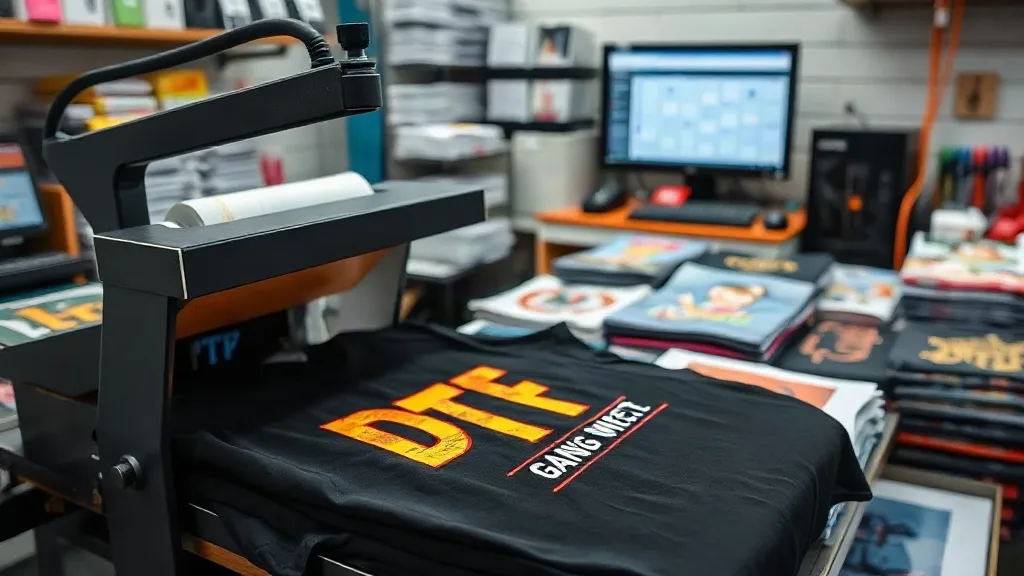
Now, let's connect the dots. Shaka Wear blanks and a DTF Gangsheet Builder are a natural match because both are built for efficiency and quality. When you print a gangsheet with multiple Shaka Wear designs, you can press them onto garments in batches. For example, imagine you have an order for 50 tees with three different logos. Instead of printing three separate sheets, you create one gangsheet with all three logos arranged to fit the film. You then cut the transfers apart and press them onto the shirts. The result: less film used, fewer printer passes, and a smoother production line.
This approach also helps with inventory management. You can print gangsheets ahead of time for your best-selling Shaka Wear styles, storing the transfers until an order comes in. When a customer buys a tee, you simply grab the pre-printed transfer and press it on the spot. This hybrid model combines the speed of DTF with the consistency of gangsheet planning.
Choosing the Right Gangsheet Size for Shaka Wear Orders
Gangsheet builders typically offer standard sheet sizes, like 13x19 inches or 22x24 inches, but you can also customize dimensions. For Shaka Wear tees, a common approach is to use a sheet that fits a front and back design for a single shirt, or multiple smaller chest logos. Consider the size of your press: if you have a 16x20 heat press, you'll want gangsheets that fit within that platen. Also, think about the quantity: for small runs, a smaller sheet reduces waste; for bulk orders, a larger sheet maximizes efficiency.
Most builders let you save templates, so once you find a layout that works for your most popular Shaka Wear products, you can reuse it. This is especially handy for recurring orders like team uniforms or staff shirts.
Step-by-Step: Using a DTF Gangsheet Builder for Shaka Wear
Ready to try it? Here's a simple workflow to get started.
- Prepare your artwork: Ensure your designs are high resolution (300 DPI) and have transparent backgrounds. Save them as PNG files.
- Log into the builder: Create an account on a platform that offers a DTF Gangsheet Builder, like the one at Harwin DTF.
- Select your sheet size: Choose a standard size or enter custom dimensions based on your printer and press.
- Upload and arrange: Drag your designs onto the canvas. Use the auto-arrange feature to optimize spacing, or manually adjust for precise placement.
- Set quantities: If you need multiple copies of a design, specify the number. The builder will replicate and nest them.
- Review and order: Double-check the layout for any overlaps or cut lines. Then submit your order to print.
Once you receive your gangsheet, cut the transfers apart, and you're ready to press. Remember to follow the DTF pressing instructions for Shaka Wear fabrics: typically 300°F for 10-15 seconds with medium pressure, then peel cold.
Common Mistakes to Avoid
Even with a gangsheet builder, some pitfalls can trip you up. First, don't overcrowd the sheet. While it's tempting to squeeze in every last design, leaving a small margin between transfers makes cutting easier and prevents accidental peeling. Second, always account for the fabric color. DTF transfers are opaque, but on dark Shaka Wear tees, a white underbase is automatically included, so your colors stay vibrant. Third, test your press settings on a scrap piece of Shaka Wear fabric before running a full batch. Every heat press runs a little differently.
Another mistake is ignoring the grain of the fabric. When pressing onto Shaka Wear garments, make sure the shirt is flat and free of wrinkles. A quick pre-press for 3-5 seconds can remove moisture and wrinkles, ensuring a smooth application.
SSS
Can I use a DTF Gangsheet Builder with any DTF printer?
Yes, most gangsheet builders export files in standard formats like PDF or PNG that are compatible with any DTF printer. Just ensure the builder you choose supports your printer's maximum sheet size.
How do I determine the right gangsheet size for Shaka Wear hoodies?
Hoodies typically require larger transfers, especially for back prints. Measure the printable area of your heat press and choose a gangsheet size that accommodates the design plus a small margin. For front logos, a smaller sheet may suffice.
Is DTF printing on Shaka Wear blanks durable?
Absolutely. When applied correctly, DTF transfers on Shaka Wear garments withstand repeated washing without cracking or fading. The key is proper pressing temperature, pressure, and time, followed by cold peel.
Can I mix different fabric colors on one gangsheet?
Yes, the gangsheet is just the transfer film; the fabric color doesn't affect the layout. However, remember that DTF transfers include a white ink layer, so they work on both light and dark garments.
What file format works best for gangsheet builders?
PNG with transparent background is the most widely accepted format. Some builders also accept PDF or AI files, but PNG ensures compatibility and preserves transparency.